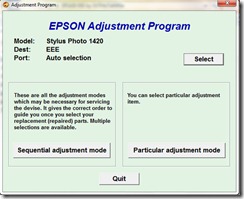
This is the utility to reset the canon ip 2700 ink overflow error or you might be cannot print because of orange light or what ever is it.
Just try to follow the guide below. Hope it works in your canon printer
Number 1: HArdware Reset
Step 2: Software Reset
Read more
Just try to follow the guide below. Hope it works in your canon printer
Number 1: HArdware Reset
- Turn off the printer without unplugging the power cable.
- Press and hold the RESUME button, then press the Power button.
- Fixed hold the Power button and release the Resume button.
- Then press the Resume button 5 times then release both buttons.
- After the error has stopped blinking mark, your printer has been successfully entered into the Service Mode.
Step 2: Software Reset
- Extract resetter program above and double click the file “servicetool.exe”
- Consider whether the Reload button appears. If there is, click the Reload button to get a new USB port. If no, it means that your printer is ready to reset.
- Prepare some sheets of paper into the printer tray, and press the “Play”, wait until the print stop or display the message “error 001″. Press OK.
- Then press the “EEPROM” and let the printer print again, and then click OK.
- Turn off the printer (you may need to press the Power button twice).
- Turn the printer back on. Voila! Your printer is ready to work again.