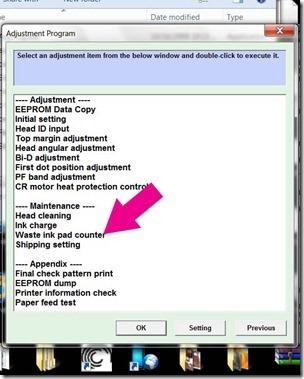
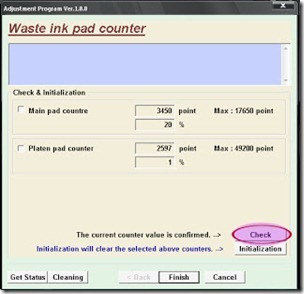
Reset Error 21000068 On Epson T50 And T60, Have you get an error 21000068 when resetting your Epson Epson T50 or T60 and I see no solution to avoid the problem. Why not try this advice, but to restore this method is not recommended for the beginner and the user must understand what you are doing. These tips from Jagdish Rathore (India) and has granted me permission to post to this blog. It has also been the publication of this method to restore his blog at: http://www.epsonservice.blog.com/. If you have no knowledge of PCB and electronics, I recommend not trying to restore méthode.
Here the adjustment method :
Turn off the printer and printing files.
Open your advice Epson main board. You can see an 8-pin CMOS IC. Thats a waste of ink Epson against CI and found in all Epson printers.
You can configure your printer without resetter along these roads.
Solder pins 1,2,3,4 no cable as shown in the image and the printer now "second 20"
After 20 seconds turn off the printer and remove the pin welding cable no. 1,2,3,4 (back in original)
Now, turn on your printer
And now the printer is resetTag: Reset Error 21000068 On Epson T50 And T60
Read more
Here the adjustment method :
Turn off the printer and printing files.
Open your advice Epson main board. You can see an 8-pin CMOS IC. Thats a waste of ink Epson against CI and found in all Epson printers.
You can configure your printer without resetter along these roads.
Solder pins 1,2,3,4 no cable as shown in the image and the printer now "second 20"
After 20 seconds turn off the printer and remove the pin welding cable no. 1,2,3,4 (back in original)
Now, turn on your printer
And now the printer is resetTag: Reset Error 21000068 On Epson T50 And T60