Before opening the Epson adjusment “Adjprog.exe”, adjust first the date of your computer depending of what kind of Epson Resetter did you have. And make sure there is no pending print task in your printer
Open the Adjprog.exe. Click “Accept” button to open the program

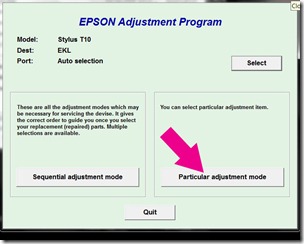
Click “Particular adjustment mode” button.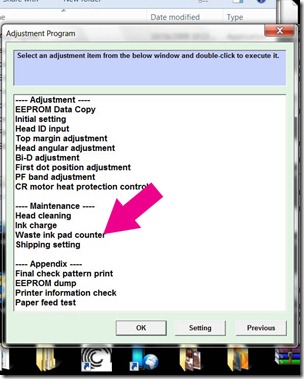
Select on “Waste ink pad counter” and click “OK” button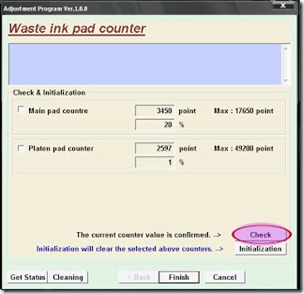
Check on Main pad counter and click on “Initialization” button and the program will reset the protection counter.
Click here to download the program
Open the Adjprog.exe. Click “Accept” button to open the program
Click "Select" button. and choose your printer model then click "OK"
Click “Particular adjustment mode” button.
Select on “Waste ink pad counter” and click “OK” button
Check on Main pad counter and click on “Initialization” button and the program will reset the protection counter.
- Turn off the printer as a program instructed then turn on again
- Finish !
Click here to download the program


