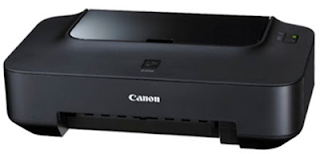
Showing posts with label ip2770. Show all posts

Tuesday, November 25, 2014

Fix Printer Canon iP2770 Blink Orange

How to troubleshoot printer Canon iP2770 blink or blinking indicator lights orange colored 16x. In my previous article we have discussed the problem on Canon iP2770 printer which when printing rows of line, Canon iP2770 Black Cartridge not detected and how to reset ink indicator on the printer Canon infusion.so for this time we will talking how to cope with canon printer iP2770 blink or blinking indicator lights orange.

Overcome Canon iP2770 Blink
the probm is when we turn on the printer is on as usual, but when we want to print the Canon ip 2770 printer will blink orange as much as 16x.

If the indicator light Canon iP2770 Blink 16x Orange, meaning the problem is on the cartridge Canon iP2770 and it requires a reset (experienced runout). This problem often occurs in the Canon iP2770 printer and this can be overcome easily.

How to Overcome Canon iP2770 Prtinter the orange Blink 16x, First you try to press the Resume button a bit longer until the green light is flashing, then let go of the button. And if this is the Canon iP2770 blink orange again, then we must also reset black cartridge (experienced runout) and we go back a bit long pressing the Resume button until the green light is flashing, then let go of the reset button. Canon iP2770 blink problem often occurs when the cartridge runs out finished direfil then installed again
Read more

Thursday, November 13, 2014

Resetter Canon MG5270 MP258 MP287 MP278 MP237 and iP2770

How to Reset Printer Canon MG5270 MP258 MP287 MP278 MP237 and iP2770 - ink absorber is almost full - is as follows :

  • - Turn on the printer , it will display a description of " The Ink Absorber is Almost Full " on the monitor screen 
  • - To reset the printer must be Service Mode .
  • - This the way to make service mode
  • - Download Resetter Canon Service Tool v3400 (Download here) or at the end of this posting
  • - Turn off the printer by pressing the POWER button . Do not unplug the power cord .
  • - Press and Hold the STOP / RESET and press the POWER button. So both buttons depressed position .
  • - Remove the STOP / RESET but do not release the button powerd
  • - In the circumstances the POWER button is still depressed , press the STOP / RESET 6 times .
  • - Your computer will detect the new hardware . Ignore it .
Read more

Wednesday, November 12, 2014

Canon iP2770 Driver Windows 7

Canon

Canon iP2770 Driver Windows 7 Free Download - Canon iP2770 Driver Windows 7 can be downloaded from this webblog. 
Canon iP2770 Printer is the most popular and the most wide sold in the low level market. Everyone uses this Printer because it is affordable and can be gotten everywhere.

Supporting Operating System for Canon iP2770 Driver Windows 7 : 

  • Windows 8 and 8.1 (32bit, 64bit)
  • Windows 7 (32bit, 64bit)
  • Windows Vista (32bit, 64bit)
  • Windows XP (32bit, 64bit)
  • Linux
  • Mac OS X v10.8,
  • Mac OS X v10.7)
  • Mac OS (OS X v10.9,
  • Others Operating systems

How to install Canon iP2770 Driver Windows 7:

Follow the steps below to install the Canon iP2770 Driver Windows 7:
  • Download the driver file by clicking the download link provided below and save the downloaded file in the specified folder
  • Open file that you have downloaded from this site by clicking on it twice ( EXE file), then installation will start automatically.

    How to Uninstall Canon iP2770 Driver Windows 7 :

    If you need uninstall the program driver, you can use the Control Panel.
    • On the Start menu, choose Control Panel, and then click Uninstall a Program under the Programs It will display a page with a list of installed programs.
    • Click twice on the program that you wish to uninstall.
    • Click "Yes" and then "OK" when it is prompted , it will complete the process of the uninstall.
    Note: The steps below are common for only Operating System Windows . This procedure may be a little bit different to other OS.

    Canon iP2770 Driver Windows 7 download link

    Here are the Direct download links for Canon iP2770 Driver Windows 7, easy to download, with just one click, please choose  the link based on your Operating system. The link is directly taken from the official website.


    Download
    Operating system
    | [Download] |
    Canon iP2770 Printer Driver Download For Windows XP 
    | [Download] |
    Canon iP2770 Printer Driver Download For Windows Vista
    | [Download] |
    Canon iP2770 Printer Driver Download For Windows 7 
    | [Download] |
    Canon iP2770 Printer Driver Download For Windows 8 
    | [Download] |
    Canon iP2770 Printer Driver Download For Linux
    [Download] |
    Canon iP2770 Printer Driver Download For Mac OS

    Read more

    Sunday, November 2, 2014

    Resetter Canon iP2770 and Driver

    Canon
    Canon iP2770 Printer 

    Canon iP2770 Printer Driver Download. Canon iP2770 Printer is the most popular printer in the world. This printer is widely used by all worker, students and most people.
    Canon iP2770 Printer is the most simple to use printer and most sold in the market. we provide the driver for this printer below.

    Supporting Operating System for Canon iP2770 Printer Driver : 

    • Windows 8 and 8.1 (32bit, 64bit)
    • Windows 7 (32bit, 64bit)
    • Windows Vista (32bit, 64bit)
    • Windows XP (32bit, 64bit)
    • Linux
    • Mac OS X v10.8,
    • Mac OS X v10.7)
    • Mac OS (OS X v10.9,
    • Others Operating systems

    How to install Canon iP2770 Printer Driver:

    Follow the steps below to install the Canon iP2770 Printer Driver:
    • Download the driver file by clicking the download link provided below and save the downloaded file in the specified folder
    • Open file that you have downloaded from this site by clicking on it twice ( EXE file), then installation will start automatically.

      How to Uninstall Canon iP2770 Printer Driver :

      If you need uninstall the program driver, you can use the Control Panel.
      • On the Start menu, choose Control Panel, and then click Uninstall a Program under the Programs It will display a page with a list of installed programs.
      • Click twice on the program that you wish to uninstall.
      • Click "Yes" and then "OK" when it is prompted , it will complete the process of the uninstall.
      Note: The steps below are common for only Operating System Windows . This procedure may be a little bit different to other OS.
      Here are the download link for the driver, please choose based on your Operating system.
      Download
      Operating system
      | [Download] |
      Canon iP2770 Printer Driver Download For Windows XP 
      | [Download] |
      Canon iP2770 Printer Driver Download For Windows Vista
      | [Download] |
      Canon iP2770 Printer Driver Download For Windows 7 
      | [Download] |
      Canon iP2770 Printer Driver Download For Windows 8 
      | [Download] |
      Canon iP2770 Printer Driver Download For Linux
      | [Download] |
      Canon iP2770 Printer Driver Download For Mac OS

      resetter download here
    Read more

    Thursday, October 9, 2014

    Resetter Canon ip2770

    Resetter Canon ip2770 Free Download

    Canon ip2770
    Resetter Canon ip2770 This is the drivers we have found that in some time ago we download links for Resetter Canon iP2770. Software original software resetter Canon iP2770 but it can not work on my computer. He asked for help and now we want to share our experience on this issue.

    Resetter Canon ip2770


    Well we will move ahead with your printer issues : 
    • Verify your printer into administration mode . 
    • Turn off the printer when the printer is on . 
    • Permit the link rope still joined . 
    • Press and hold the reset catch for 2 seconds and at the same pressed the force catch until the LED turns green ( 2 catches squashed all ) . 
    • Furthermore evacuate your finger from the catch on the resume however you dont detached force catch , keep the catch you hang on force. 
    • At the position of the fingers are even now pressing the force catch , utilizing your different fingers to press the resume catch 5 times , then the green LED will light orange rotating with the last fire orange shade . 
    • On the off chance that the LED lights up orange ( squashed force catch 5 times ) then you discharge both catches at the same time. 
    • After the LED printer Canon ip2770 flickering a couple of minutes you will then be lit green . 
    • As a rule it your machine , It will discover any new equipment , simply overlook it in light of the fact that you have effectively made ??your printer into administration mode , well now you simply reset Canon ip2770 resetter you to utilize the ones we have the download join .
    Instructions to reset utilizing::
    • It would be ideal if you download first on the download join we give . 
    • At that point you turn on your printer if the printer is turned off . 
    • Put 2 or 3 sheets of paper into the paper tray of your printer Canon ip2770. 
    • Concentrate and run the printer reseter by clicking 2 times Servicetool_v1074.exe documents. 
    • In the event that the endela programming that opens, click Play then the printer will print a sheet of paper with D = 000.0 . 
    • Kindly click the Clear catch EEPROM . 
    • Also you keep on clicking the back catch EEPROM then the printer will print one more paper width peruses one line Tpage ( TTL = 00000 ) . 
    • After the Turn off your printer and restart your printer and you can as of recently use once again to work . 
    • Its done your printer issues
      Read more

      Tuesday, October 7, 2014

      Resetter Canon ip2770 Error 006

      Resetter Canon ip2770 Error 006

      Resetter Canon ip2770 Error 006 No matter how you use the printer, but sooner or later the error problem can not avoid. Well to keep watch so that if one day your printer is problematic in this case specifically for the Canon PIXMA iP2770 type, Software Resetter and Reset on how to do this printer you can download and learn. It was counted to reduce the cost of service fees at some point if you are having problems error on Canon PIXMA iP2770 Printer 

      for download Resetter Canon ip2770 Error 006 Her click here

      Login to the Service Mode iP2770 :

      • Turn off the printer first and then let the power cord still attached on electricity .
      • Press and hold the RESUME button , ( Do not Removable )
      • Then press and hold the POWER button until the green light on ( when pressing the POWER button , Resume button ... jgn removed first )
      • Then release the RESUME button , but do not release the POWER button .
      • While the POWER button is still depressed , press the Resume button 5 times . Led will light turns green to orange last flame orange . ( not to be mistaken 4x because the printer will die in total , but also temporary ) Purpose of death while if 4x is pressing for about 30 minutes the condition of the printer can not be in anything apain , unplug all the cables are plugged in and after 30 minutes the printer can revived .
      • Release both buttons simultaneously .
      • Led will blink briefly then will flash GREEN .
      • The computer will detect a new device , ignore it .....
      • This situation shows the iP2770 printer is in a state of SERVICE MODE and ready to be reset .


      Then run Resetter iP2770 his v1074: 

      • File Exctract Resetter iP2770. 
      • 2 Prepare the paper in the printer (to print at the time the reset process). 
      • Run the program Resetter iP2770
      • Click the "PLAY", then the printer will proceed, then iP2770 will print one page with the words( "D = 000.0" )
      • Click the "Clear EEPROM". 
      • Then click "EEPROM", and the printer will print the results Resetter iP2770. One of his row as follows: "TPage (TTL = 00000)" 
      • Turn off the printer by pressing the POWER button. 
      • Up here if all goes well, its too Printer will reset and is back Normal.
      Read more