Showing posts with label TX410. Show all posts

Tuesday, November 4, 2014

Epson TX300F and Resetter Epson TX410, TX415 software resetter

Where we find Epson TX300F and Resetter Epson TX410, TX415 software resetter ? Like the previous version has broken OrTHoTaMiNe resetter, this race TX300F Resetter Epson and Epson TX410, TX415 not require setting the date. Not all features of the resetter works or not.
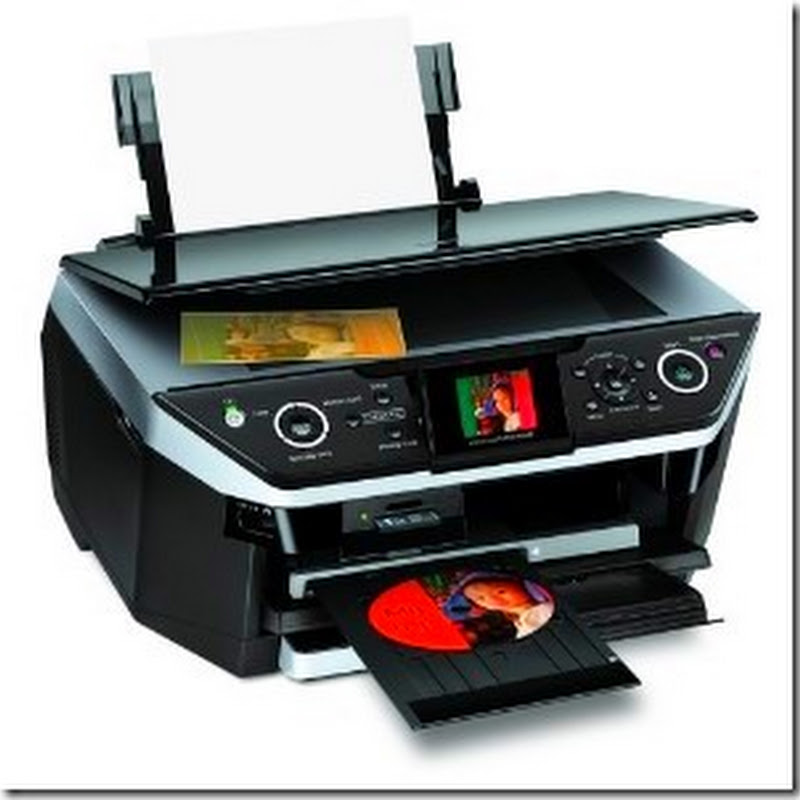
Epson TX300F, TX410 and TX415 is a multifunction printer inkjet low operating cost and designed for photo quality prints. Epson TX300F Resetter,  Resetter Epson TX410, Epson TX415:
Adjustment Program Epson TX300F
Adjustment Program Epson TX410, TX415
Read more

Saturday, October 18, 2014

Epson Stylus TX410 and Epson TX415 End of service life

Before opening the Epson adjusment “Adjprog.exe”, adjust first the date of your computer depending of what kind of Epson Resetter did you have. And make sure there is no pending print task in your printer

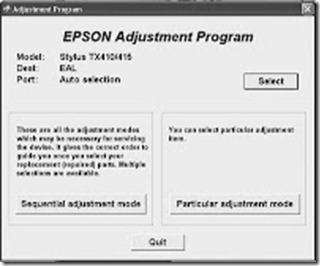
Open the the program or executable files. Click “Accept” button to open the program
tx410
Click "Select" button. and choose your printer model then click "OK"
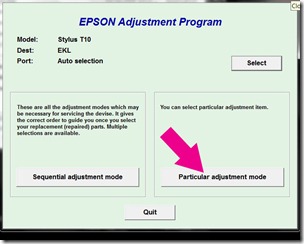
particular
Click “Particular adjustment mode” button.
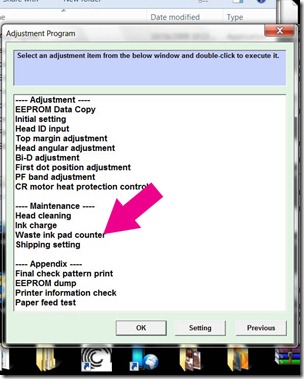
pad
Select on “Waste ink pad counter” and click “OK” button
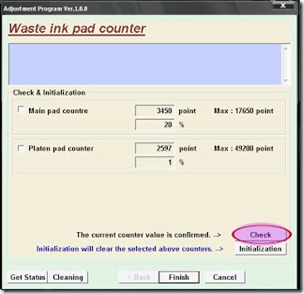
initialize
Check on Main pad counter and click on “Initialization” button and the program will reset the protection counter.
  • Turn off the printer as a program instructed then turn on again
  • Finish !
I used the same images of resetter because I don’t have time to open all the program and take a screenshot. Almost all of Epson adjustment program menu is identical.

Click here to download the epson resetter
Read more